vNode User Guide
  1. Open your web browser.
  2. Navigate to http://localhost:8085
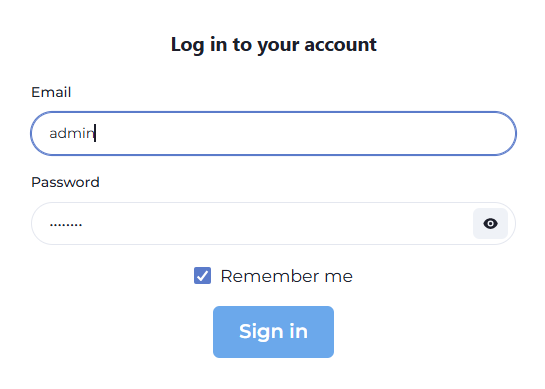
  3. Enter your user credentials

Login Screen
FieldDescription
EmailEnter your username
PasswordEnter the password you created during installation process
 

Main navigation

  • Home
    • Web User Interface
      • Login to WebUI
      • Add/Modify User for WebUI
      • Add a new Node to WebUI
      • Import Modules to WebUI
    • Node Configuration
      • Node Status
      • Deploy a module into a Node
      • Create Channels into a Node
      • Tag Configuration in the Node
      • Built-in Diagnostic and Control Tags
      • Configure Links between nodes
    • Channels Configuration
      • Random Values Channel
      • CSV Exporter Channel