vNode User Guide


Modify User

  1. Go to main menu
  2. Select User
  3. Select "Edit" on the user you wish to modify
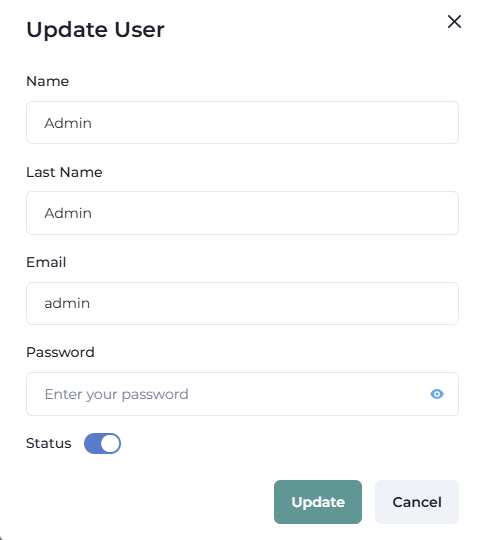
User Update
FieldDescription
NameEnter the name of the user
LastnameEnter the lastname of the user
EmailEnter the email of the user
PasswordEnter the desired password for the user
StatusEnable to activate the user / Disable to deactivate the user

Main navigation

  • Home
    • Web User Interface
      • Login to WebUI
      • Add/Modify User for WebUI
      • Add a new Node to WebUI
      • Import Modules to WebUI
    • Node Configuration
      • Node Status
      • Deploy a module into a Node
      • Create Channels into a Node
      • Tag Configuration in the Node
      • Built-in Diagnostic and Control Tags
      • Configure Links between nodes
    • Channels Configuration
      • Random Values Channel
      • CSV Exporter Channel